Renaissance:Prototyping
From Apache OpenOffice Wiki
The printable version is no longer supported and may have rendering errors. Please update your browser bookmarks and please use the default browser print function instead.
|
|
|---|
|
Quick Navigation
Team |

Prototyping
Prototyping phase II has ended.
Goal
Building a flexible framework for mid-fidelity prototyping to test promising UI designs with real users.
Team
- Andreas Bartel (andba) - User Experience Tech Lead for Project Renaissance
- Andre Fischer (Andre Fischer) - Developer
- Bernd Eilers (bei) - Developer
- Frank Loehmann (fl) - OpenOffice.org User Experience Project Lead
Prototype
| Screencast | Live Prototype |
|---|---|
 |
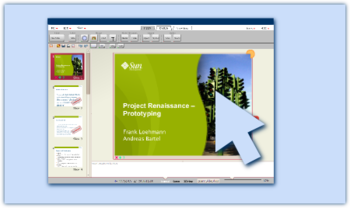 |
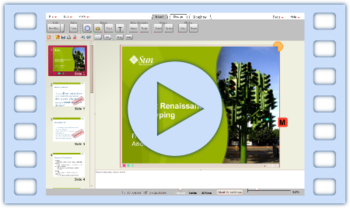
| The video testdrive on YouTube gives you a first impression what the prototype is about. | The latest prototype (v 0.18) runs on "live" your computer (Java 6 required). |
Note: This mid-fidelity prototype has no polished UI design! Also the content of the toolbar section is not final nor complete. We just want to test interaction of the a possible UI with normal users. Therefore the prototype provides only limited functionality that allows us to run some tests in real live scenarios like creating a small presentation and doing some formatting.
Our page Frequently Asked Questions provides more information on what is prototyping.
Supported functionality in prototype
Tip: functional buttons in the toolbars show a green point in the lower right corner
- Loading ODP files from OOo (ODF)
- Load/Save own XML file format
- Main menu
- Slideable toolbar area
- Zoom slider
- New handles/ mode less rotation
- Insert
- Bitmaps
- Shapes
- Format (context sensitive like in StarOffice 4/5)
- Border style
- Border width
- Character format (bold/italic/underlined)
- Paragraph (left, right, centered, justified)
- Color and gradient for
- Fill
- Border
- Design
- Slide theming
- Color theming
- Views
- Normal
- Sorter
- 3D (i.e. on small devices)
- Presentation mode
- Notes window (at the bottom in normal view)
- Slide preview (on the left in normal view)
- Direct object interaction for
- Slides
- Yellow circle: Slide/overview zoom
- M: Live master mode switch
- Copy/delete/duplicate
- Slides
Progress / Mini-Minutes
Tasks to support
- Must have
- insert slide (done)
- delete slide (done)
- duplicate slide (done)
- change slide layout (done)
- change slide design (done)
- input text (done)
- navigate through slides (done)
- Nice to have
- insert image (done)
- insert shape (done)
- insert table
- insert text field (done)
- If possible
- modify image
- modify shape (done)
- modify table

