Working with master document
From Apache OpenOffice Wiki
The printable version is no longer supported and may have rendering errors. Please update your browser bookmarks and please use the default browser print function instead.
You can use master document to take several actions.
- Click . A master document is created and the focus moves to the Navigator window.
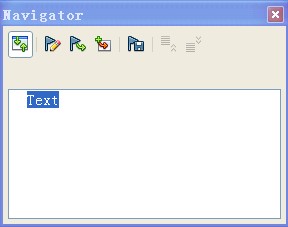
- If there is a sub-document to merge, right-click Text, and select .
- You can right-click Text, and select to create a table of contents.
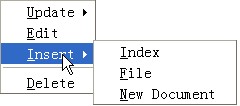
- When the sub-document, Table of Contents (TOC), or other objects are updated, right-click Text, and select Update.


