Sound for Animation Effects
From Apache OpenOffice Wiki
The printable version is no longer supported and may have rendering errors. Please update your browser bookmarks and please use the default browser print function instead.
Frequently, after we set animation effects for objects
in our presentation, we may still need to combine some sound with the animation effect. Here is a tip for you to add sound to the animation
effect.- Select the object for which animation effects have been set.
- Click Add button in the Custom Animation section on sidebar.
- Right-click the effect, on the context menu, click Effect Options dialog box opens.
- Under Effect tab, in Enhancement area, select one
sound for Sound field.
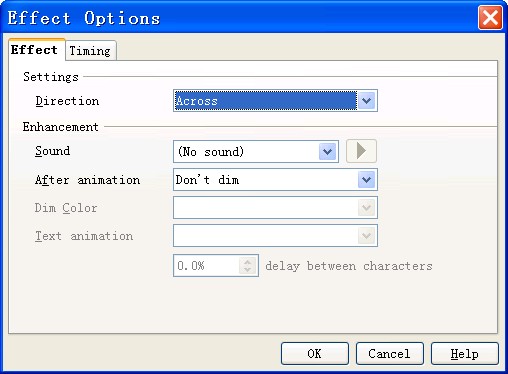
- Click OK.


