Set Table Border in Presentation
From Apache OpenOffice Wiki
The printable version is no longer supported and may have rendering errors. Please update your browser bookmarks and please use the default browser print function instead.
In presentation, table is a very useful tool to communicate
information. Nice table border can help audience focus on our presentation.
Here is a tip for you to set table border in presentation.- Select the table on the slide.
- Right click the table, select Table. The Format Cells window opens.
- Click Borders tab. Options in three areas
are available.
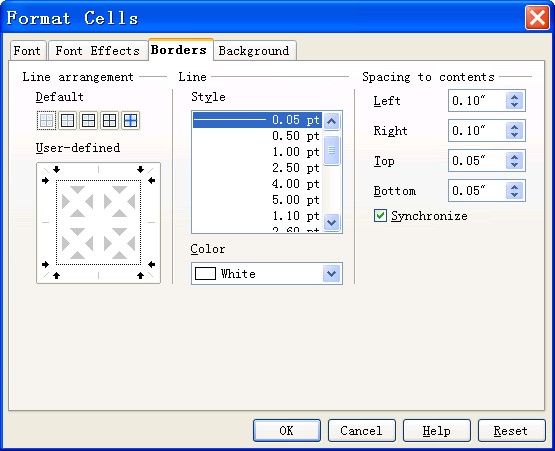
- In the Line arrangement area, set border style. In the Line area, set line style and color. In the Spacing to contents area, set spacing.
- Click OK.


