Reasons why a document cannot be changed
From Apache OpenOffice Wiki
The printable version is no longer supported and may have rendering errors. Please update your browser bookmarks and please use the default browser print function instead.
When you open a document, you cannot change the content,
and some menu items are disabled. This page introduces five possible
reasons for this.- The file that you open is read-only. You can see the words (read-only) on the title bar of the document.
- The containing directory of the file is read-only.
- The file is opened or accessed by other applications. Make sure the document is not currently opened in another application, such as Lotus® Symphony™ or Microsoft Office.
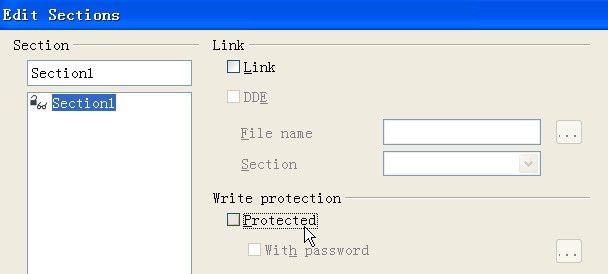
- Part of the document that you edit is protected. Check with the
following steps:
- Click .
- Make sure the Protected check box is not
selected.