Enabling assistive support
From Apache OpenOffice Wiki
The printable version is no longer supported and may have rendering errors. Please update your browser bookmarks and please use the default browser print function instead.
You can enable assistive support that allows you to use
assistive tools such as external screen readers, Braille devices, or speech recognition input devices. The Java Runtime Environment must be installed on your computer
before you can enable assistive support.To enable assistive support, perform the following steps:
- Click .
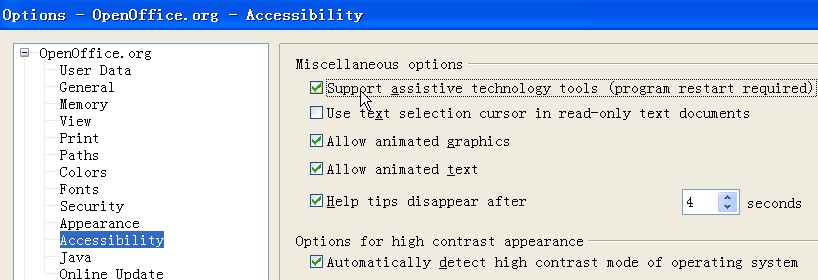
- Make sure the checkbox Support assistive technology tools (program restart required) is selected. If this checkbox is not selected, select this checkbox, click OK, and then restart OpenOffice.


