Getting Started
From Apache OpenOffice Wiki
The printable version is no longer supported and may have rendering errors. Please update your browser bookmarks and please use the default browser print function instead.
Getting Started
To insert an equation, choose Insert → Object → Formula.
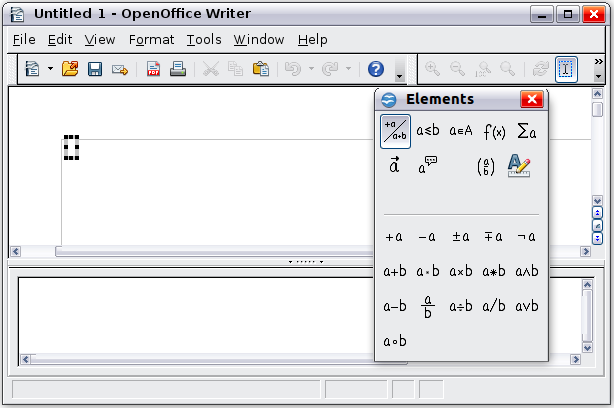
The equation editor opens at the bottom of the screen, and the floating Elements window may appear. You will also see a small box with a gray border in your document, where the formula will be displayed. (See Figure 202.)
| Content on this page is licensed under the Creative Common Attribution 3.0 license (CC-BY). |