Grid Options
From Apache OpenOffice Wiki
< Documentation | AOO4 User Guides/Impress Guide | Setting Up and Customizing Impress | Choosing Options for Impress
Grid Options
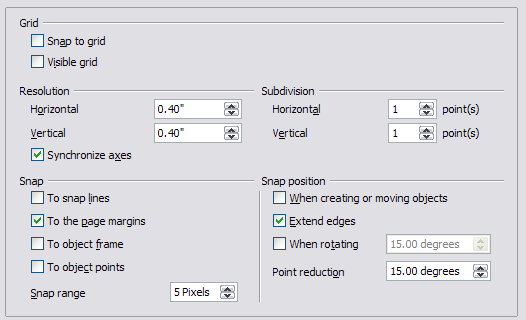
The Grid page defines the grid settings for Impress. Using a grid helps you determine the exact position of your objects. You can also set this grid in line with the snap grid.
To open the Options dialog shown in Figure 216, click OpenOffice Impress → Grid.
| Content on this page is licensed under the Creative Common Attribution 3.0 license (CC-BY). |