Sound for Animation Effects
From Apache OpenOffice Wiki
Frequently, after we set animation effects for objects
in our presentation, we may still need to combine some sound with the animation effect. Here is a tip for you to add sound to the animation
effect.- Select the object for which animation effects have been set.
- Click Add button in the Custom Animation section on sidebar.
- Right-click the effect, on the context menu, click Effect Options dialog box opens.
- Under Effect tab, in Enhancement area, select one
sound for Sound field.
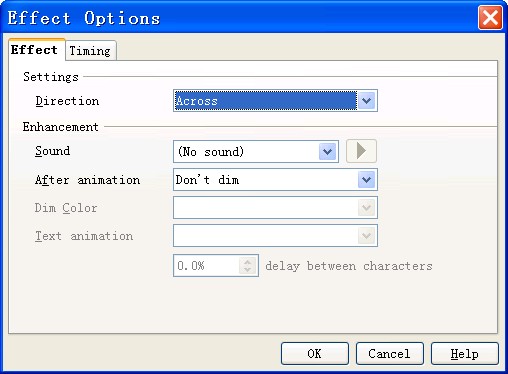
- Click OK.


