Difference between revisions of "WatchWindow Extension"
From Apache OpenOffice Wiki
| Line 12: | Line 12: | ||
3) Add a cell that you want to watch with "Add cell" button | 3) Add a cell that you want to watch with "Add cell" button | ||
| + | |||
| + | [[Media:WatchWindow.png]] | ||
Revision as of 06:58, 10 August 2010
Watch Window
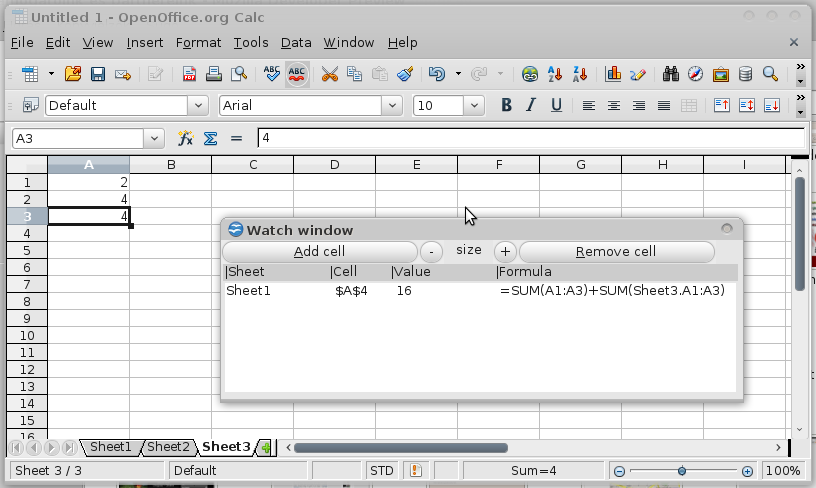
With Watch Window Extension, you can add a Watch Window, which keeps the value of the monitored cell on the screen, no matter where the change is made.
http://extensions.services.openoffice.org/en/project/watchwindow
1) Start OpenOffice.org Calc
2) Select Tools - Detective - Display watch window
3) Add a cell that you want to watch with "Add cell" button