Changing the Appearance of the List
From Apache OpenOffice Wiki
< Documentation | AOO4 User Guides/Impress Guide | Adding and Formatting Text | Creating Bulleted and Numbered Lists
Changing the Appearance of the List
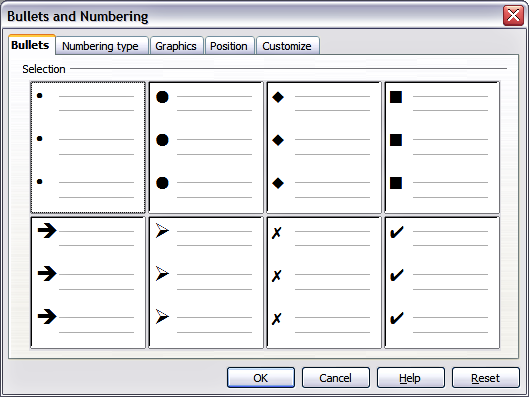
You can fully customize the appearance of a list, changing the bullet type or numbering for the entire list or for a single entry. All the changes can be made using the Bullets and Numbering dialog box (Figure 43), which is accessed by selecting Format → Bullets and Numbering or by clicking on the Bullets and Numbering icon  on the Text Formatting toolbar.
| Content on this page is licensed under the Creative Common Attribution 3.0 license (CC-BY). |